Hello,
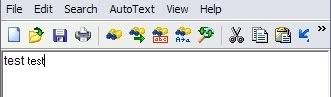
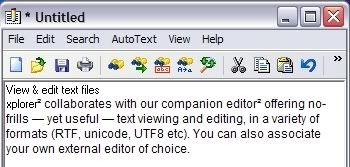
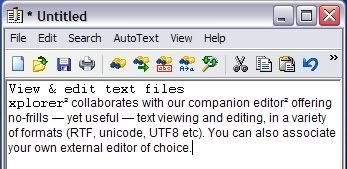
I have been experiencing a problem with editor2. Sometimes the font becomes inconsistent.
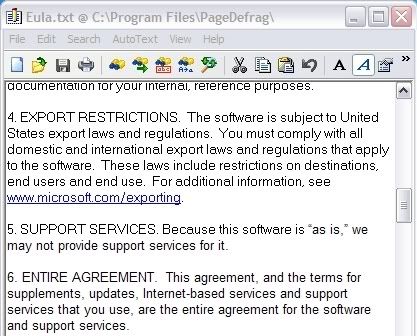
In other case even the parts of a single word are composed from two various fonts (that seem to differ in size).
It happens mainly when a text is pasted from clipboard. But it can be also seen when writing a text from scratch.
If anyone has any idea how to fix this I would be thankful for it.
Thanks in advance.
I've seen a few strangely-rendered characters in the past with some fonts, but it's been a while, and I can't recall the circumstances.
For a long time now I have been using 9pt Lucida Console as my "Fixed" font and 12pt Times New Roman (or Arial, or Tahoma) as my "Proportional" font and have not noticed any of those "funnies" on the screen.
Printing is another matter: some letters or letter sequences are often mis-formed (or mis-kerned) as compared to the what one would expect from a high-priced word processor/editor; but as long as they are legible, I haven't complained.
PS - btw, the designations of "Fixed" and "Proportional" fonts in E² is a joke. You can choose to specify a fixed or proportional font at either location on the options dialog.
It would be perhaps more consistent if they were labeled "Font#1" and "Font#2".
Nevertheless I have tried almost everything before to get rid of this problem - to save the file as Unicode/UTF-8/OEM type; to toggle the proportional and fixed fonts; to refresh the file; to toggle the word wrap, ... . Sometimes it works and the font get consistent, sometimes it does nothing at all and sometimes it will unify the font but will leave for example one sentence rendered with the other font.
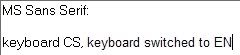
Well it seems that the prolem appears when I switch the keyboard from CS (Czech) to EN (English). After the switch (even when I won´t write anything and switch back to CS) the font get adjusted and from this space and time everything is rendered with different font.
Until specific elements of what causes it can be identified unambiguously it will remain a mystery.
What is your OS and platform and display?
What 'customizations' have you made?
Are your display drivers/dll's all up-to-date?
(some or none of the above may be relevant) PS - missed your post while I was composing. It looks like you have stumbled on a clue.
This happens in other light-weight editors (I can't remember which). I think it's a bug due to MS. So you either have to deal with it in editor2 or use an editor that does its own drawing.
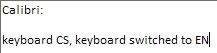
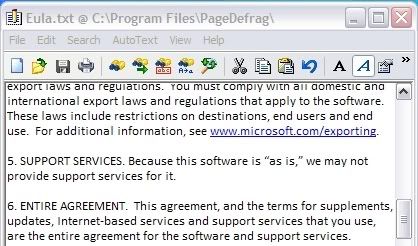
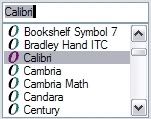
I have changed the font to Calibri and everything seems to be working fine.
See the tests:
MS Sans Serif:
Calibri:
The time will tell if this is the ultimate solution.
fgagnon, now that I read one of your prevoius posts it was very good observation to test more fonts.
I've seen a few strangely-rendered characters in the past with some fonts, but it's been a while, and I can't recall the circumstances.
For a long time now I have been using 9pt Lucida Console as my "Fixed" font and 12pt Times New Roman (or Arial, or Tahoma) as my "Proportional" font and have not noticed any of those "funnies" on the screen.
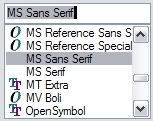
One possibly interesting thing - the fonts in the list that don´t possess the "O" (OpenOffice) icon seem to cause the problem. Coversely the fonts with "O" icon work fine. But I haven´t tested every single font so I cannot certainly say this is the rule.
After some further testing - no, this is not 100% solution but when I add nikos´ tip (reload a file using F5) it helps to get rid of the inconsistency. For now.