

https://www.zabkat.com/test/xplorer2_se ... t_beta.exe
(for more details see HELP > WHAT'S NEW menu)
* WINDOW > FULL SCREEN menu takes over the entire monitor for more space working with files. Unlike using a maximized window, here most of the peripheral panels are hidden (tree, preview etc), devoting all screen to dual pane folder browsing. You can turn on toolbars afterwards, but that kind of defeats the purpose (use a maximized window instead).
The menu bar (or minimized ribbon UI) remains to help you work with files. You can use the mouse or keyboard shortcuts to execute commands. For preview use peek mode (ALT+Q key or two mouse buttons simultaneously). Use ALT+TAB keys to switch to other programs; press <ESC> key to restore the normal xplorer² window.
* DUAL PREVIEW FOR DOCUMENTS
<Alt+Shift+Q> dual peek preview is extended for TEXT documents (plain text or PDF/DOC etc). The 2 selected documents are compared with WinDiff, a text comparison tool. To use something else, drop your preferred comparison tool in xplorer² installation folder and rename it to WINDIFF.EXE (or something that includes DIFF in the filename).
If you select 2 files, you can use the context menu (XPLORER2 > COMPARE ITEMS command) to do the comparison. This works for both text and images. Note the selected files must both be in one pane. In dual pane mode, if only 1 file is selected, it is compared with the FOCUSED item in the inactive pane (not necessarily the same filename).
[P] If 2 "complex" documents (e.g PDF) are selected, this command first extracts a sample of the pure text from the beginning of the file (according to "text preview length" setting in your preview options) and compares it (without formatting)
* POOR MAN'S UNDO
xplorer² doesn't support undo, but for some simple file operations (rename, recycle and copy/paste or drag//drop) it is possible to undo the most recent action using the DESKTOP context menu. Now xplorer² helps you show this external menu that hopefully includes an undo command. Use the standard <CTRL+Z> keyboard shortcut to activate the undo function. If you have assigned your own keyboard shortcuts, use CUSTOMIZE > KEYBOARD menu to assign <CTRL+Z> to miscellaneous command number 57643.
It is not guaranteed that there will be an UNDO command in this external menu, but it is worth a try! For other undo possibilities please see this blog post: www.zabkat.com/blog/02Mar08.htm
* FORCED UPDATE CHECKS
If you turn on advanced option nUpdateChkDays (set it to a number of days), then xplorer² will call home every so many days to query if a newer version is available. If something new is found, it will prompt you to download and install it — saving you the hassle of manually using HELP > CHECK FOR UPDATES menu command. Set this parameter to 0 (default is off) to disable the auto-update feature.
* [P] ISBN STOCK COLUMN
International standard book number is extracted from books and available as a file detail (ALT+K). As few books have valid ISBN tags, xplorer² is reading the actual book text and extracting the ISBN (10- or 13-digit), usually found in the first few pages. Mostly PDF books have it and also several Kindle (AZW/MOBI) and EPUB ebooks. Some books have more than 1 ISBN listed, xplorer² picks the first one.
If you cannot see ISBNs and you know they exist in your books, make sure of the following:
- you have downloaded the ebook search and preview plugin so their text is accessible
www.zabkat.com/blog/mobi-epub-xps-palm- ... search.htm
- you have an "e-books" category in the standard autofilters. If you have an old xplorer² installation delete the registry key "xplorer2_UC.global\File types" so the defaults will be recreated
- some PDFs are just pictures so they cannot be read (unless OCRed)
Some books have their ISBN information in the last page. Reading the entire book text is slow (especially PDF), so xplorer² has a registry setting nMaxISBNSize (default 1.5MB) beyond which ISBN from the tail isn't extracted. Many books don't have ISBN anyway so reading full contents would be a waste of time.
* STARTUP SENTINEL
xplorer² monitors its startup health and if it detects a problem with starting folders (not responding for 20 seconds or so) prompts you to open a "safe" window that should have no problems starting up. This mode takes into account everything that could slow down xplorer², including folders, sort-by properties and even slow color coding rules. It is roughly equivalent to the recommended command line:
xplorer2 /T /1 c:\
Once this safe window is opened, you should be able to resume normal file management opening other tabs, dual panes etc.
* [P] command line switch /1 (for single pane) will also hide any miniscrap pane for extra startup troubleshooting
* The folder tab strip includes the standard [+] dummy button to the right, which add new tabs when clicked (also available as double click in the gutter area). To make the most of it enable the Advanced Option "Tab strip visible at all times" (DPF_SHOW1TAB).
* [P] ACTIONS > FOLDER SETTINGS > SAVE menu command shows an extra warning if you try to write folder settings to all subfolders (as well as for the current folder) — if there are too many subfolders that will be affected. Remember that this command has to be used sparringly; only apply it to exceptional folders, not as a means to change default folder settings!
* FASTER NETWORK ACCESS. When you have "Faster networks" regular option disabled, xplorer² will read the root network folder when you start the program, hopefully making subsequent folder reads speedier (?). This is performed in a thread, without any impact to the startup speed. Obviously if you read network folders as the program starts, you won't see any improvement.
* Advanced frame option DPF_SIMPLEDIR (=0x20000000) will show only the current folder name on xplorer² titlebar (in single pane mode) instead of the full folder path. For people that rely on accessibility screen readers.
* [P] play/pause keyboard button works for scrap window music and media preview too
* [P] ACTIONS > CHANGE DATES menu can apply dates taken from from file name even when there is only a partial date available e.g. IMG-20250422.JPG (22 apr 2025, time=0). For this operation use NAME as the "set equal to" date property. Handy for repairing picture dates mangled by your phone.
* [P] F3 key (FILE > VIEW menu) on a PDF will extract and preview pure text from the beginning of the document. Handy following search text in file contents. This will create a temporary TXT file which is deleted when xplorer² quits. Only applicable when a single PDF/DOC file is selected.
* [P] People that got into version 6.x as a free upgrade from v5.x (without lifetime cover) will need to pay an upgrade fee for version 6.2 — or keep on using the older version 6.1. See here for upgrade information: www.zabkat.com/u_info.htm
* editor² small update supports a vertically docked toolbar (VIEW > OPTIONS menu) to the left edge of the window. If you need bigger toolbar icons rename the file ED2SKIN_XL.PNG in the installation folder to ed2skin.png. Use ALT+Y keys to repeat the last command.
* Advanced option nLineSpacing100 will increase the spacing between items (rows) in details or list view mode. The default value is 100 (regular spacing); setting it to 200 means double line spacing. Sadly this uses a vertically stretched imagelist to achieve the spacing effect, which shows all file and folder icons a bit distorted. In older windows (7/XP) it also introduces problems with icon overlays.
* {U} New programmable instruction FINDRX searches for text matching a regular expression and returns the matched string (or empty). It is a handy combination of MID(FIND()). For example FINDRX(abc12, '\d\d') would return "12". Use 'single ears' for the regular expression (2nd argument)
* [P] Advanced option QVOPT_CACHENATP (=32768) reuses Native preview handlers (they are all cached for the duration of the program), which should lead to faster exact previews of documents.
* xplorer² now remembers the monitor DPI from the last time it was used, and if it detects that it is starting in a different DPI situation (disconnected monitor?), it adjusts the fonts etc to correct the discrepancy.
* A special value DBG_ALL in BLACK-DLL.TXT results in blocking ALL non-system DLLs (see www.zabkat.com/blog/block-shell-extensions.htm). This is a crippling block since no shell extension (good or bad) will load in xplorer², be it text filters, preview handers and all the rest. It is only meant for troubleshooting.
* You should see fewer crashes from misbehaving shell extensions (xplorer² uses more exception handlers). Buggy shell extensions still will not work properly but at least xplorer² should crash less — maybe
* [P] WINDOW > SAME STYLE menu in dual pane scrap windows too, duplicates all view modes from the active to inactive pane (details, groups etc)
* Advanced settings editor updated for all newest advanced options, automatically restarts xplorer² when you finish your tweaking
* several bugfixes, among which: elevated symlinks; clone without "save settings" option enabled


 Though I'm thinking allowing <Esc> (maybe double-tap?) as an instant way out might be better than playing with menus. No 'X' button? Hardcore for junkies.
 Incidentally, if someone did go into full-screen and then did something silly like click "simple-menus", they too would be trapped in 1944, sans les autres. Just sayin'. Always assume your users are idiots. Works well with a keyboard shortcut, though.

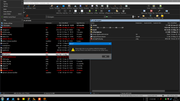
 WinDiff works for text (in the most basic 1980's way possible), but its handling of photos is... something that is best fed to dogs.
 and Threatlocker (damn it's blackened heart!) prevents anything IT hasn't blessed. Took an act of God and a temper tantrum to keep X2 when they locked everything down.
